Liftor

iPhone. iOS 15.1 or later.

Features

Twenty-three things it does.

Liftor is a workout and meal-plan app for iPhone that rewrites today's training, food and rest every morning around how you slept, trained and recovered. The six below are why you would pick it; the other seventeen are why you would not leave. Both lists, in that order.

What does Liftor do?

Six things. It rewrites today’s workout, food and rest every morning from a one-minute check-in and Apple Health. It logs a meal from the lock screen by voice, and a plate by photo. It writes the day’s meal plan as a page whoever cooks can read without the app. It keeps a map of what it has learned about your training and reads the relevant parts into each plan. It writes one session two people on different plans can do together. And it draws the year in phases around the dates that matter, moving the sessions and never the date — the arithmetic is on how it works.

The six.

Each of these is rare, and none of them is a dashboard.

01 / 06

Adaptive fitness: the plan changes daily

Slept five hours. The plan already knows.

Not a plan written once and left to run. Every morning takes a check-in — mood, motivation, energy, stress, sleep, soreness by muscle group — and reads sleep, HRV and resting heart rate from Apple Health if you allow it. Then today’s workout, food and recovery are rewritten to match, with a note saying what changed and why.

  • Rewritten every morning: the session, the food, the rest
  • Six check-in fields, a minute in the morning
  • Sleep and the check-in weigh a quarter each; HRV and the last 48 hours weigh fifteen percent
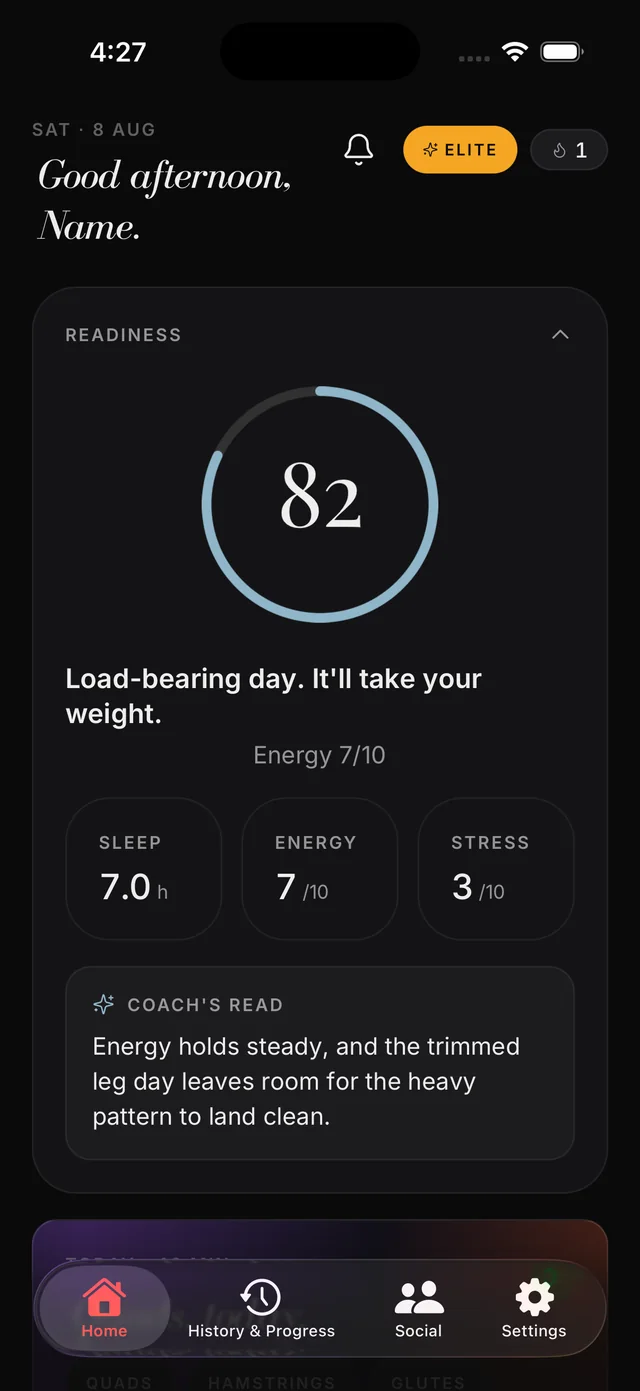
The morning readiness screen: a score of 82, sleep, energy and stress, and the coach’s read of a trimmed leg day
02 / 06

Log from your lock screen

Say what you ate. The day’s numbers move.

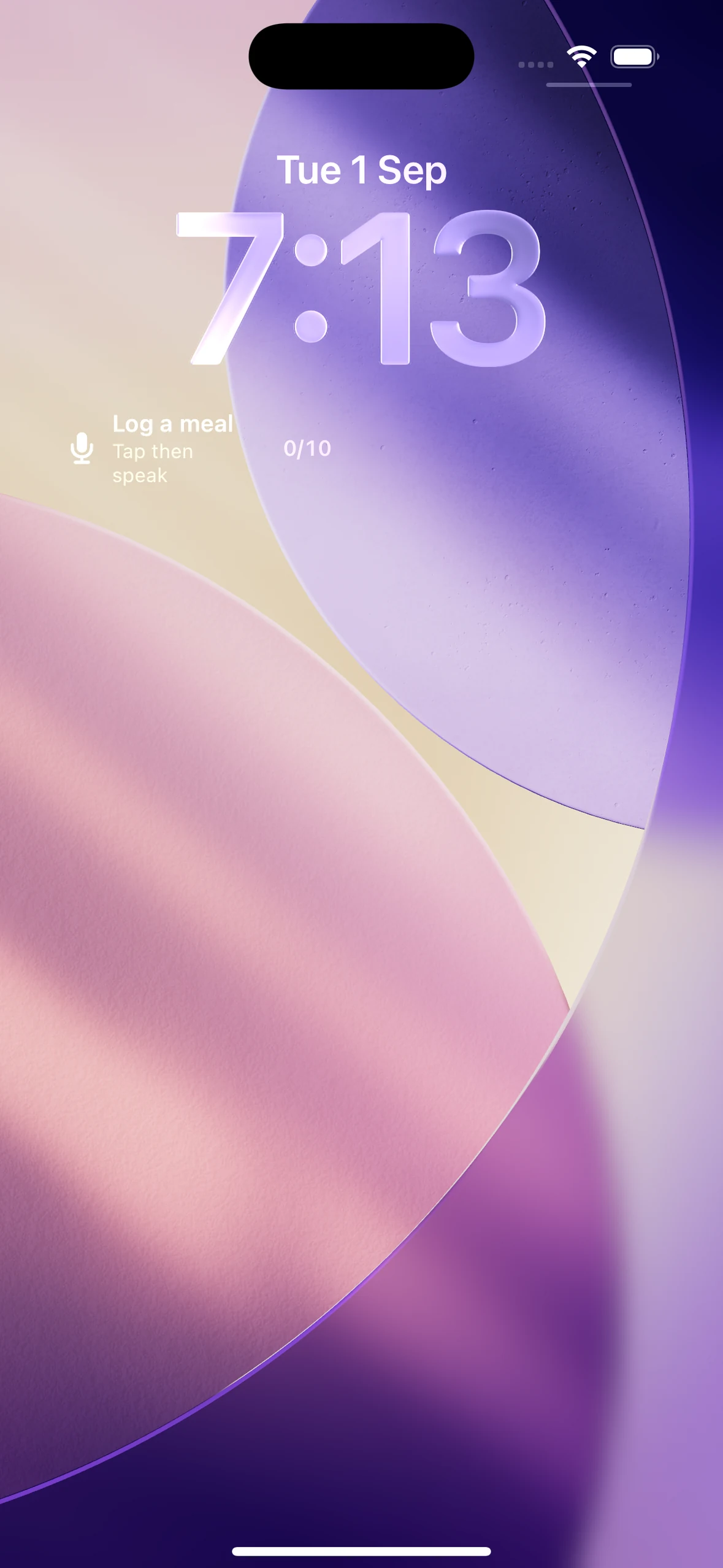
The phone does not have to be unlocked, or even opened. A meal said out loud is transcribed on the way in and logged against the day. The recording and its transcript are discarded once the meal is logged; the logged meal is what the app keeps.

Voice food logging on iPhone: what to say and how to check the entry.

  • From the lock screen, since version 1.0.4
  • By voice, or by photo when you are off-plan
  • The day’s calories and macros move at once
Liftor on the lock screen: a Log a meal widget under the time — tap, then speak
03 / 06

One tap, and whoever cooks has the day

A page of the day’s food, sent to the person who will make it.

The daily meal plan exports as a page anyone can read without the app — portions, the recipes for each meal, and the shopping list to match. It is about somebody other than you, which is unusual for a fitness app.

How to share your daily meal plan as a PDF with whoever cooks.

  • Any share sheet: WhatsApp, iMessage, mail
  • Four documents export: shopping list, meal plan, health summary, progress
  • Redrawn when the plan changes
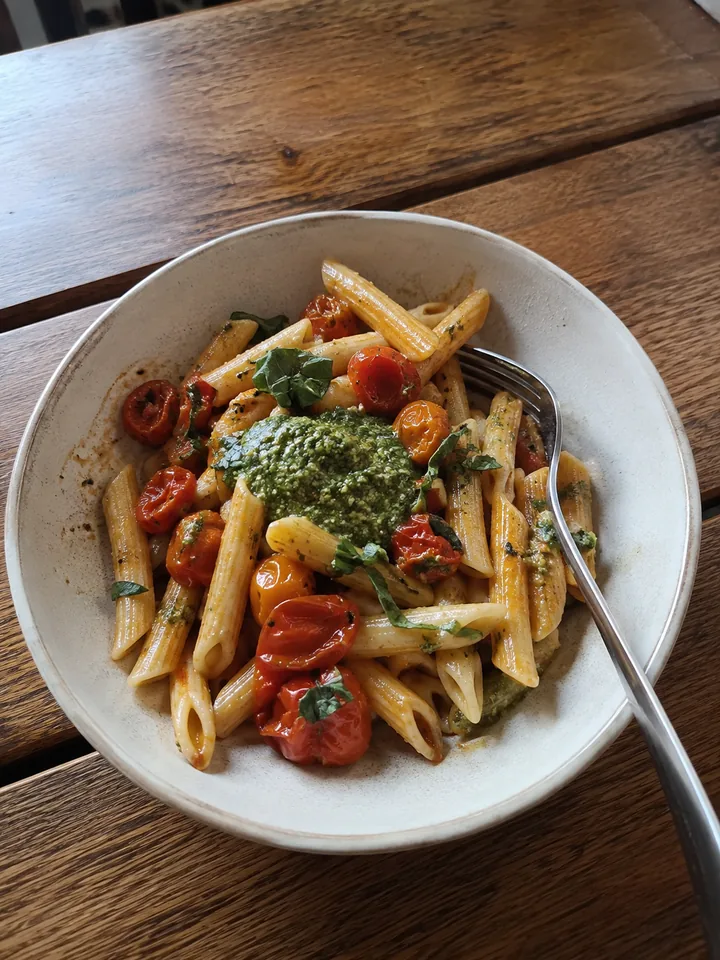
A bowl of penne with tomatoes and pesto on a wooden table
04 / 06

A living map of what it knows

Every session adds a node. So does every note.

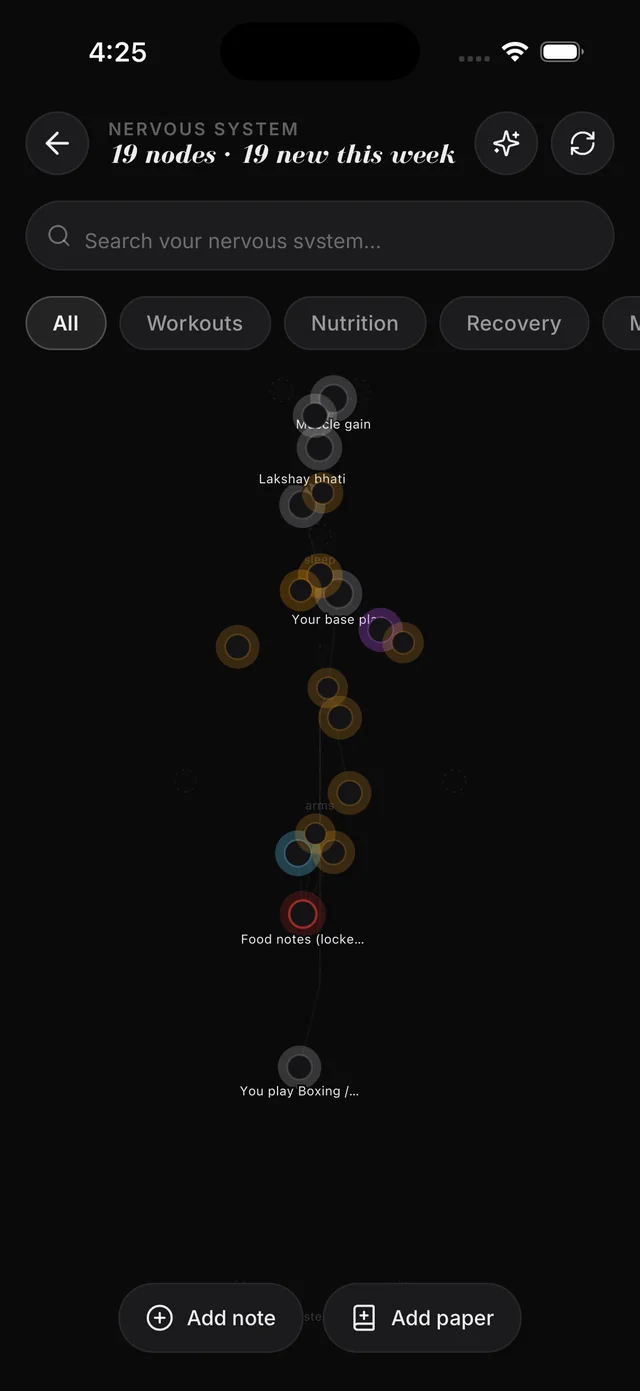
The Nervous System is a connected map of everything the app has learned about your training. Sessions add nodes; your own notes and research papers link to what you already do; and when the plan is written, the most relevant of it is read in.

  • Your own notes are ground truth and are always read
  • Flag a node wrong and it stops being used
  • Up to eight insights shape each plan, ranked by relevance to your goal
The Nervous System: nineteen nodes on one map, and a note or a paper to add
05 / 06

Blend — train with a friend

Two plans. One session.

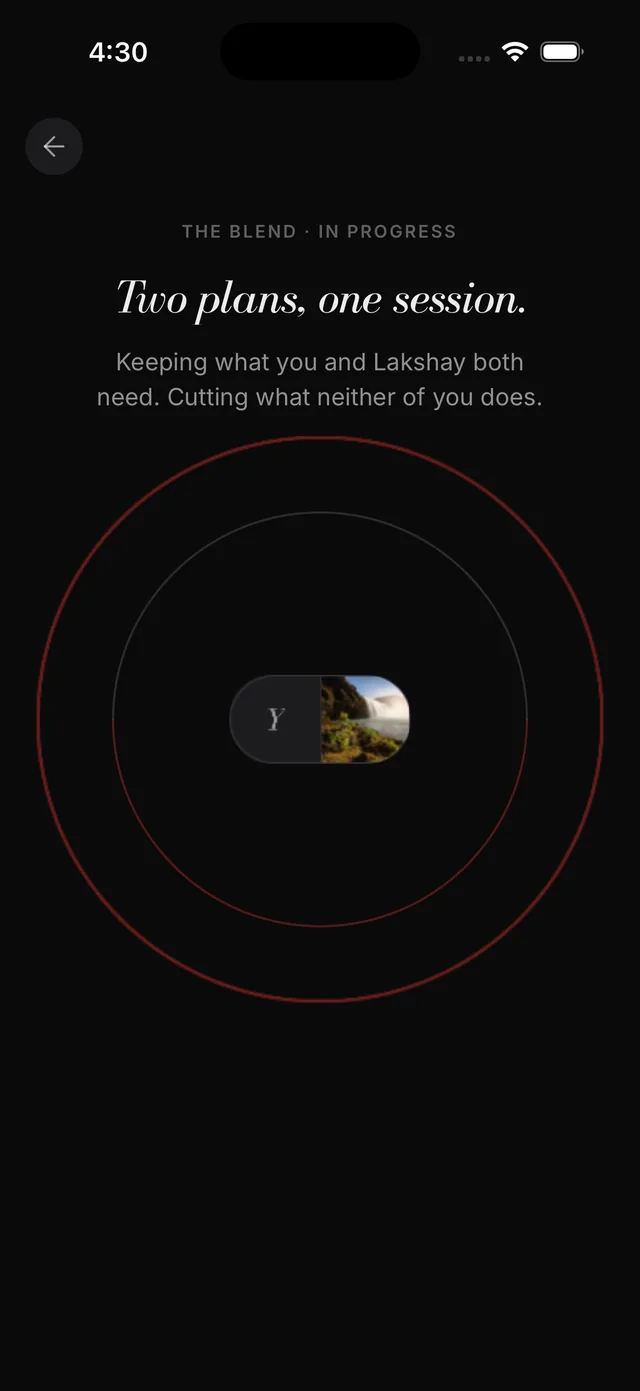
Pick a partner. It writes one session from the lifts both of your days can share, prescribes each lift twice — at your numbers and at theirs — and folds the session back into both plans afterwards.

  • Different goals, same room
  • Weight, reps and rest stay individual
  • Folds back into both plans as if each of you had trained your own
The Blend in progress: two plans, one session — keeping what you and your partner both need, cutting what neither of you does
06 / 06

Your year, in phases

Foundation, ramp, push, deload. Then a date.

The block you are in, the one after it, and the date it all points at. Events and birthdays are written in as blocks of their own, and when a week goes wrong the blocks move around the date rather than moving the date.

  • Eight kinds of block, including an event peak with its taper
  • A birthday is treated as a date worth peaking for
  • Moves the sessions, keeps the date
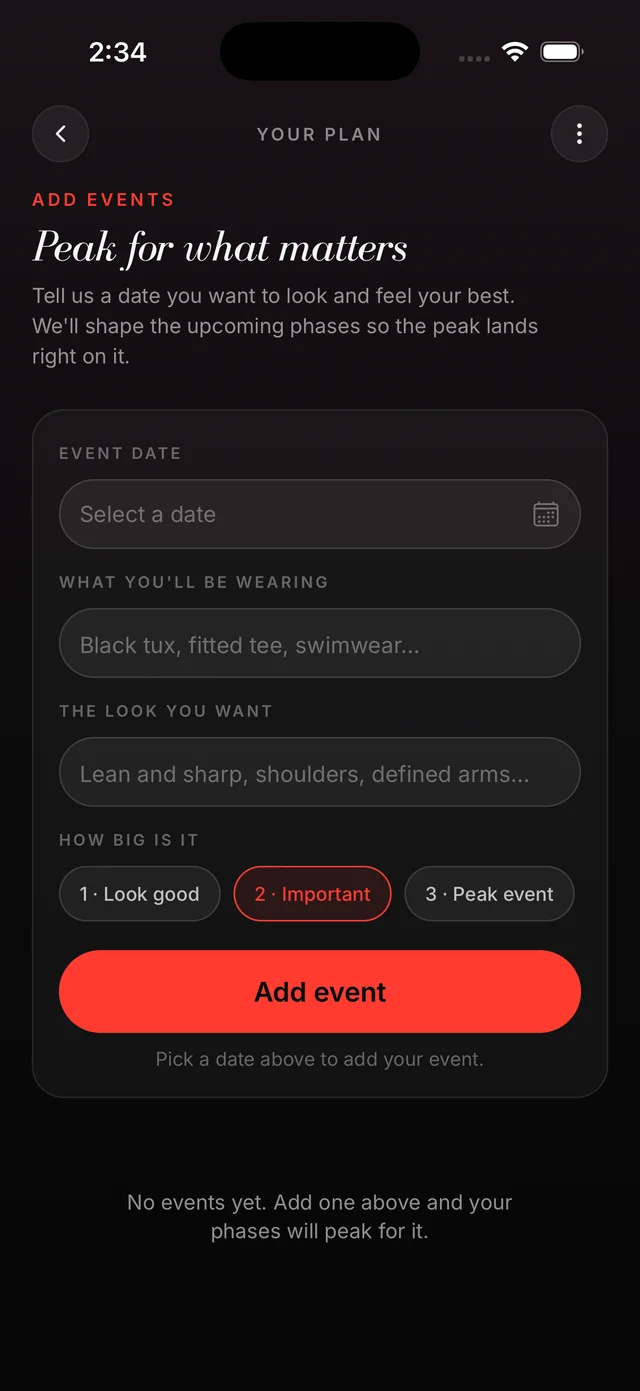
Adding an event: a date, what you will wear and the look you want, so the phases peak on it

Table stakes

Seventeen more thingsit does well.

Everything else you need, in the same app.

I

In the session

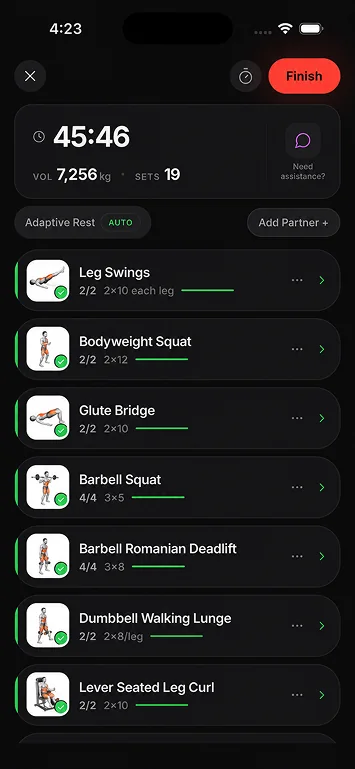
  1. The whole workout, one screen: the screen in the Liftor app
    01

    The whole workout, one screen

    Timer, sets and kilos moved, all in view. It adds your warm-up sets for you and checks any weight that looks like a typo.

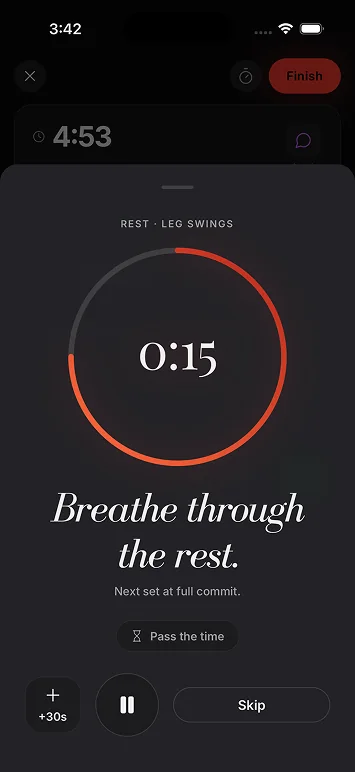
  2. Rest times that fit the lift: the screen in the Liftor app
    02

    Rest times that fit the lift

    Two minutes after heavy squats, one after curls. It adds time when you slept badly, went heavier than ever or woke up sore.

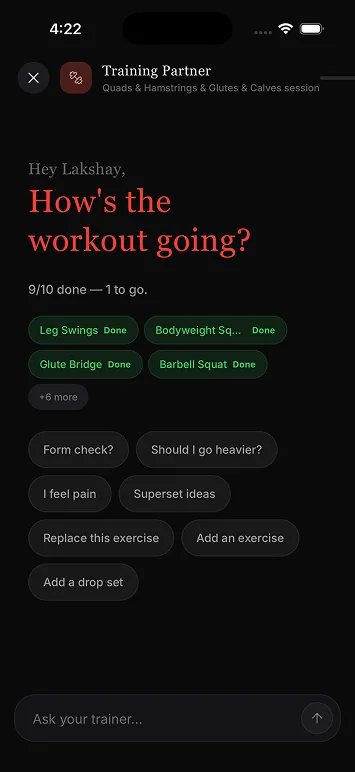
  3. Ask a trainer mid-workout: the screen in the Liftor app
    03

    Ask a trainer mid-workout

    It has read every set you logged today. Ask for a form cue, a swap or a drop set. Nothing changes until you tap approve.

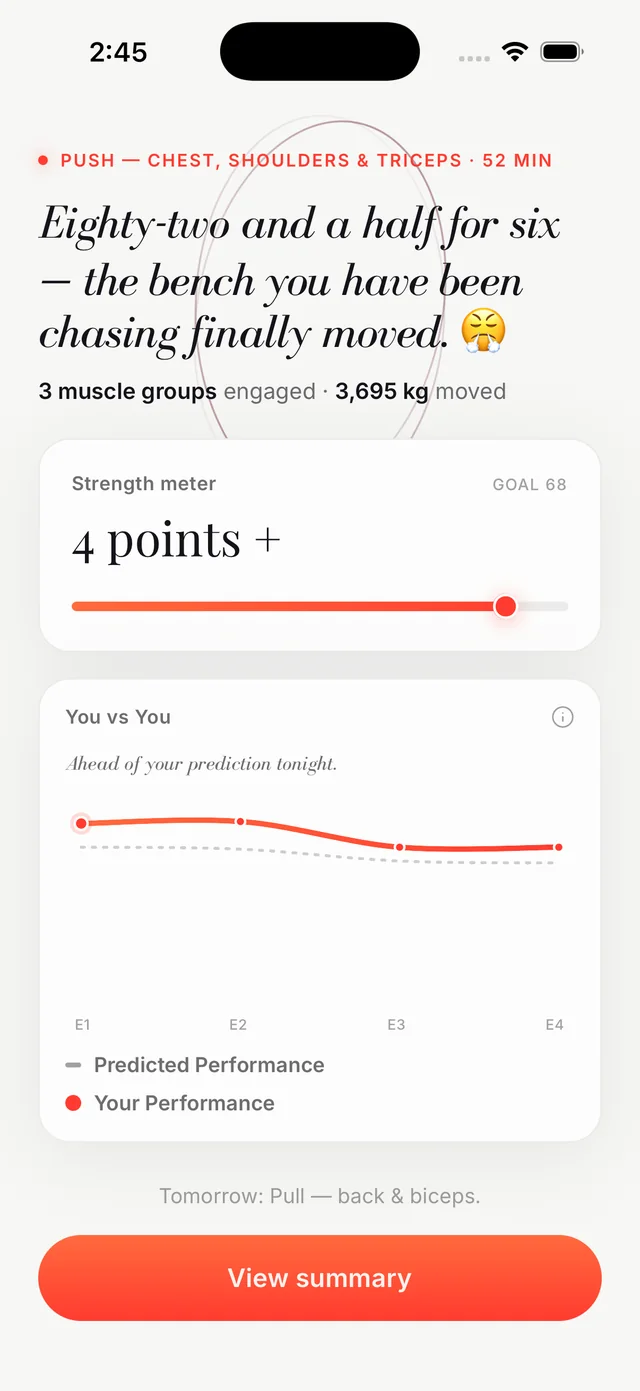
  4. You vs you, after every workout: the screen in the Liftor app
    04

    You vs you, after every workout

    It predicts today’s effort from your morning check-in, then draws the workout you did on top. A tired morning lowers the bar.

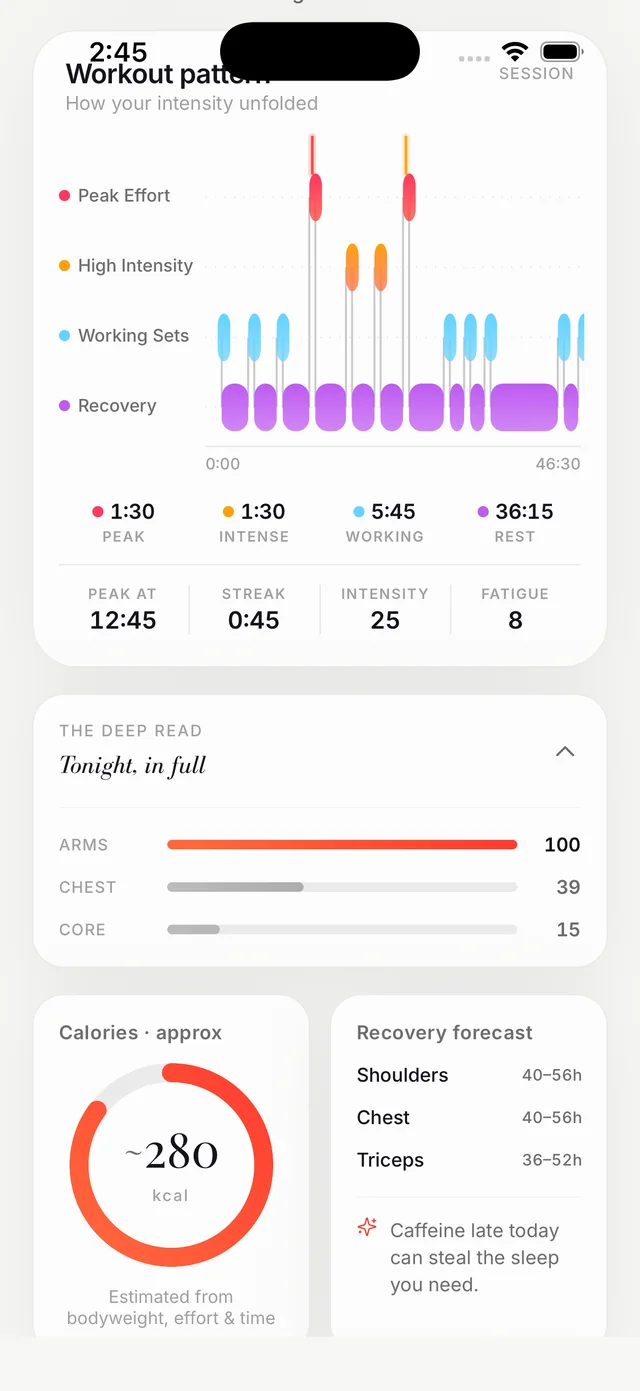
  5. Where the work went: the screen in the Liftor app
    05

    Where the work went

    How hard each minute was, which muscles did the work, and how many hours until each one is ready again.

  6. Automatic progressive overload: the screen in the Liftor app
    06

    Automatic progressive overload

    Hit the top of your rep range with reps to spare and the weight goes up. Grind through it and you chase one more rep.

II

Recovery

  1. A readiness score every morning: the screen in the Liftor app
    07

    A readiness score every morning

    Sleep, HRV, soreness and last night’s drinks, in one number. It adjusts today’s plan before you open the app.

  2. Rest days, planned too: the screen in the Liftor app
    08

    Rest days, planned too

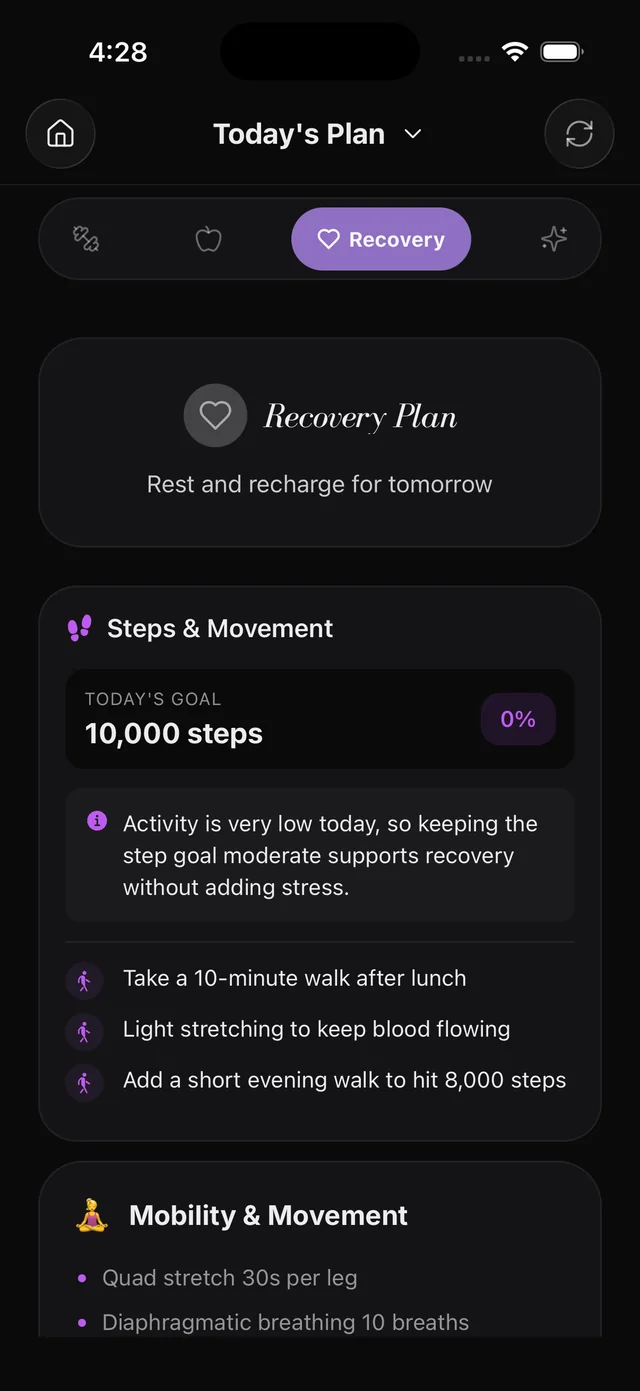
    A step goal that follows how much you have moved, plus mobility work for the muscles you trained.

  3. Box breathing: the screen in the Liftor app
    09

    Box breathing

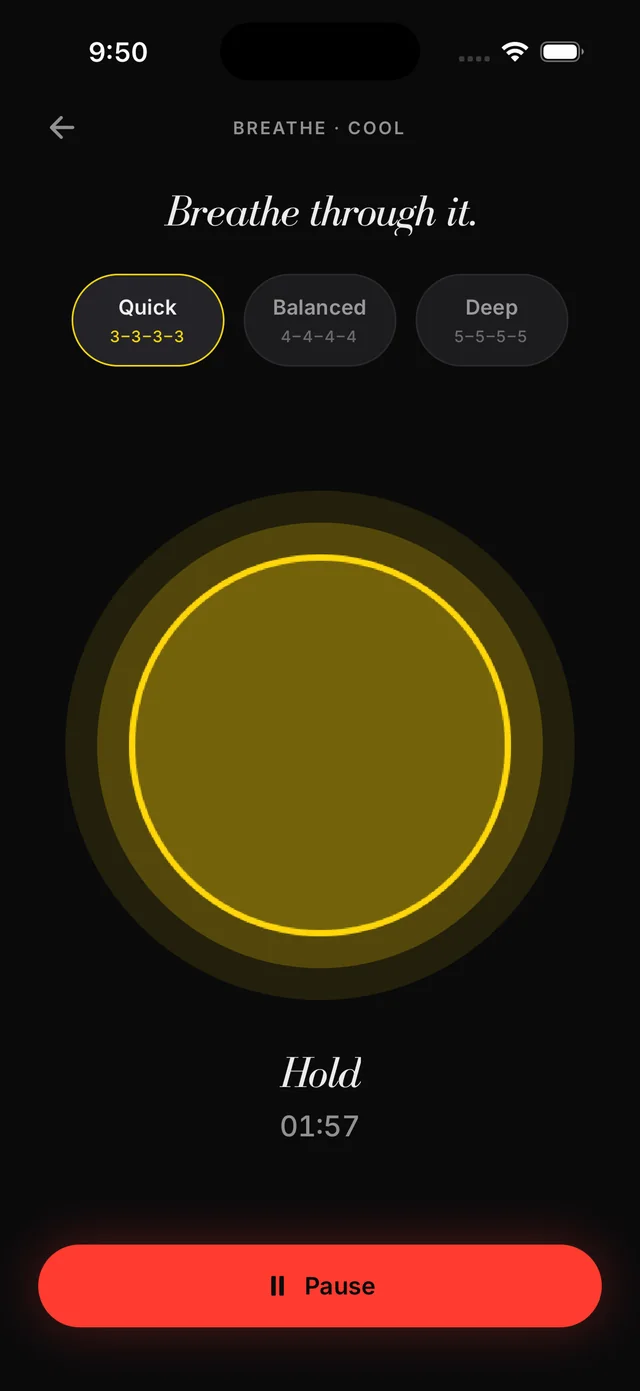
    Two minutes, three speeds. Quick before you lift, slow and deep after a long day.

III

Food

  1. Track food in one snap: the screen in the Liftor app
    10

    Track food in one snap

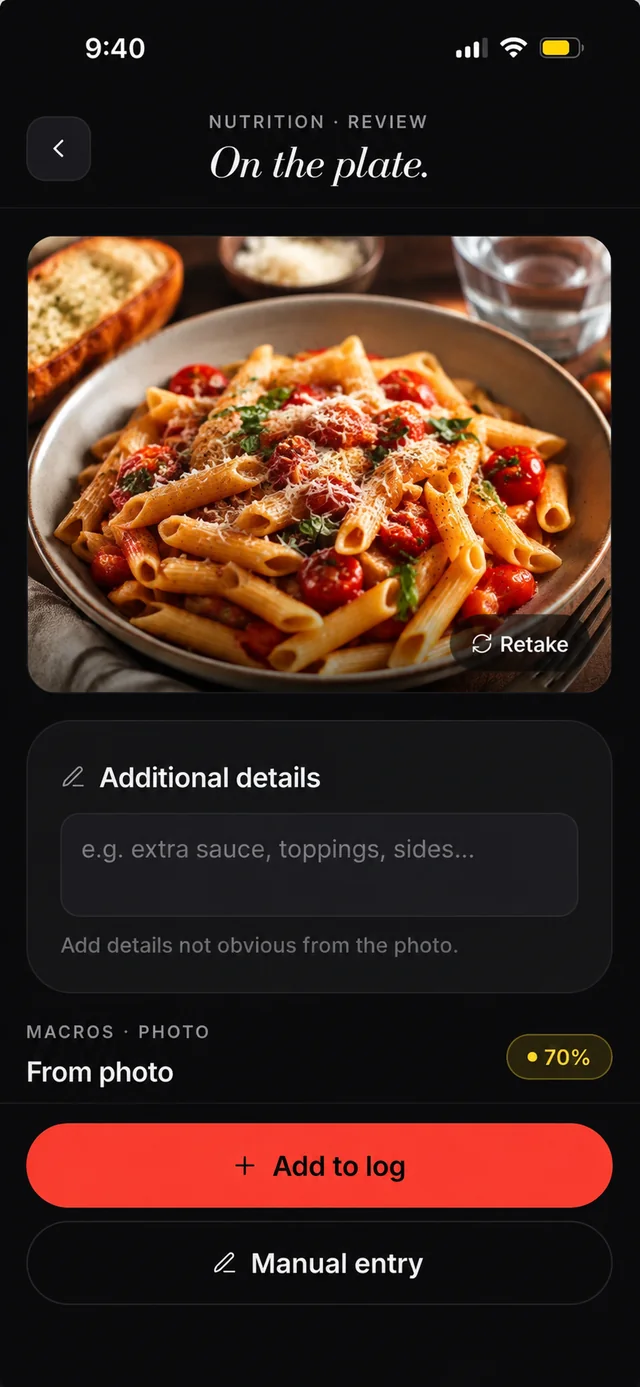
    Snap your plate. It names the meal, estimates the macros and says how sure it is. Add anything the camera missed.

  2. Save your own meals: the screen in the Liftor app
    11

    Save your own meals

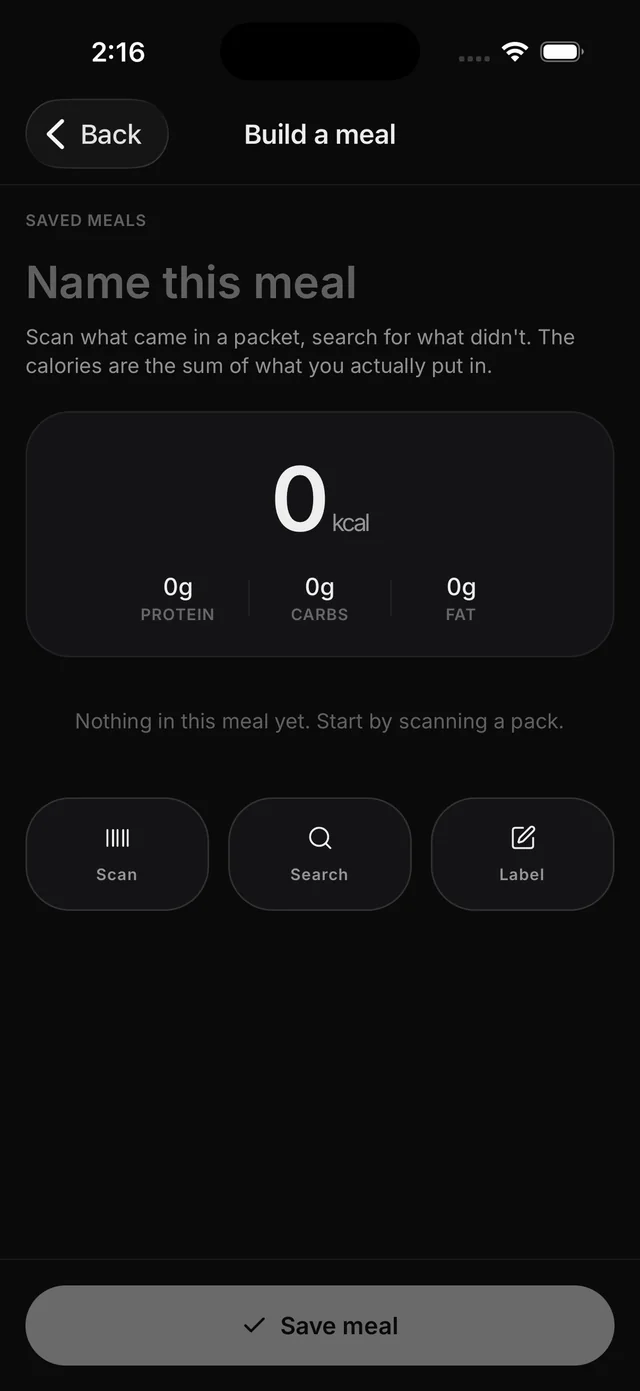
    Scan the barcode or search the food, then enter how much you used. Next time, the whole meal is one tap.

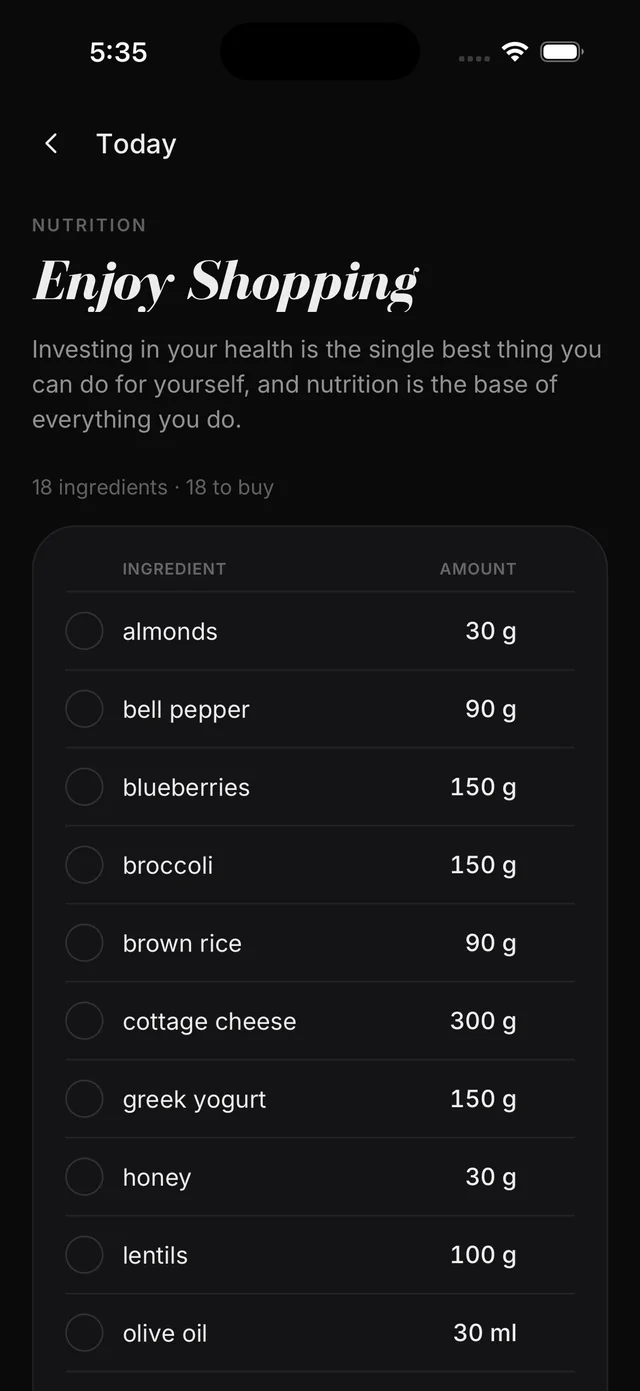
  3. A shopping list from your plan: the screen in the Liftor app
    12

    A shopping list from your plan

    Today, this week or the next 30 days, in grams. It rounds 568 g up to 600 g, so one trip covers it.

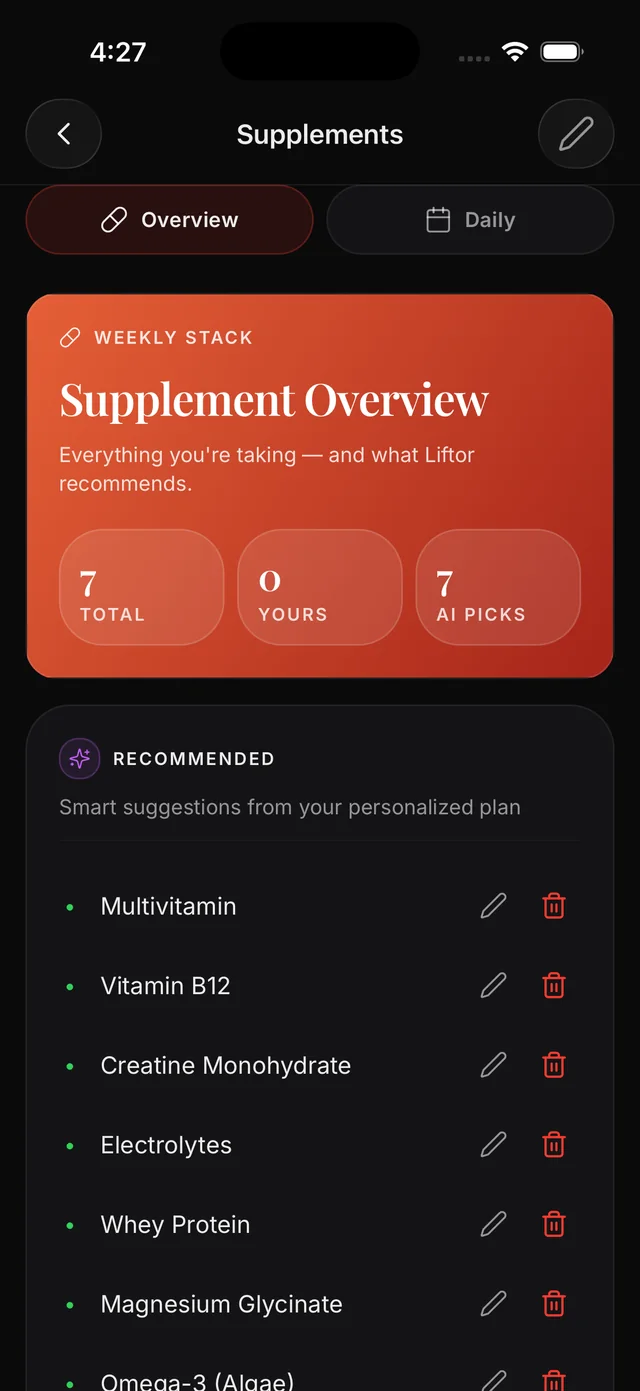
  4. Supplements within safe limits: the screen in the Liftor app
    13

    Supplements within safe limits

    What it suggests, next to what you already take. Every dose stays under the published upper limit.

IV

The plan

  1. Peak for a date: the screen in the Liftor app
    14

    Peak for a date

    Add the date, what you’ll wear and the look you want. The phases line up so you peak on the day.

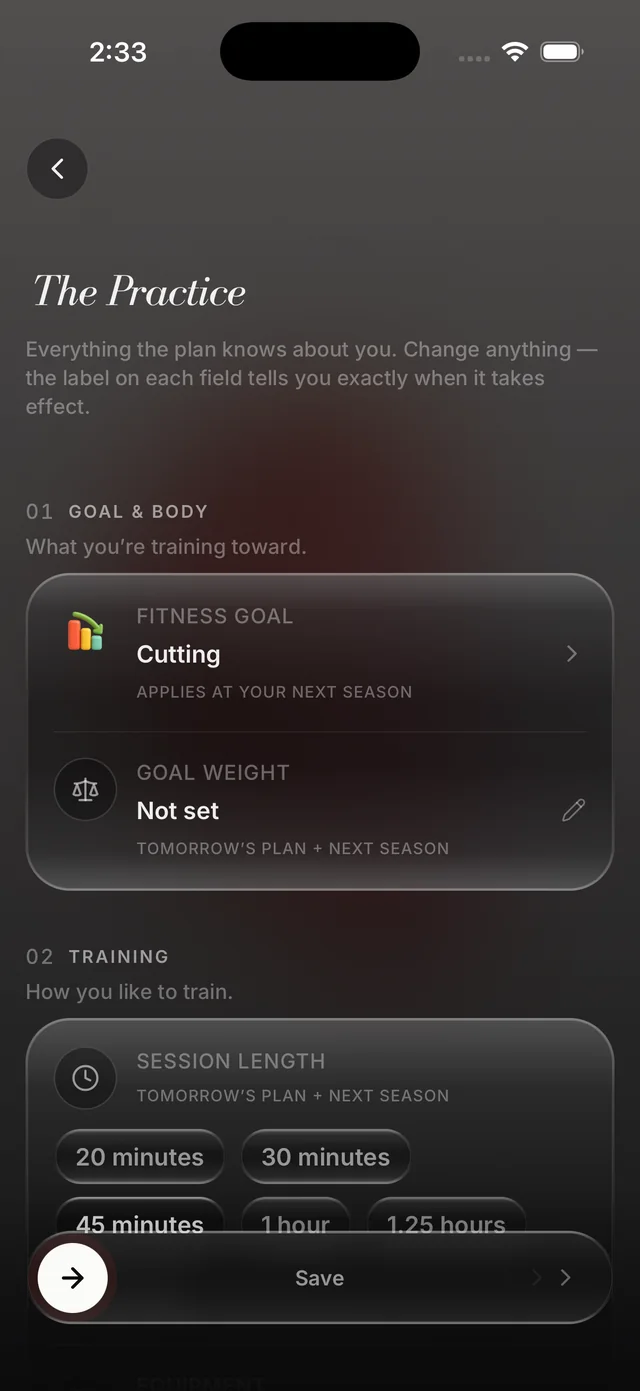
  2. Change anything, any time: the screen in the Liftor app
    15

    Change anything, any time

    Goal, equipment, session length, food rules. Each setting tells you when it kicks in: tomorrow’s plan, or the next season.

  3. A plan that reads your research: the screen in the Liftor app
    16

    A plan that reads your research

    Add a note or a paper. If it is about training, the next plan uses it. Mark an idea as wrong and the app stops using it.

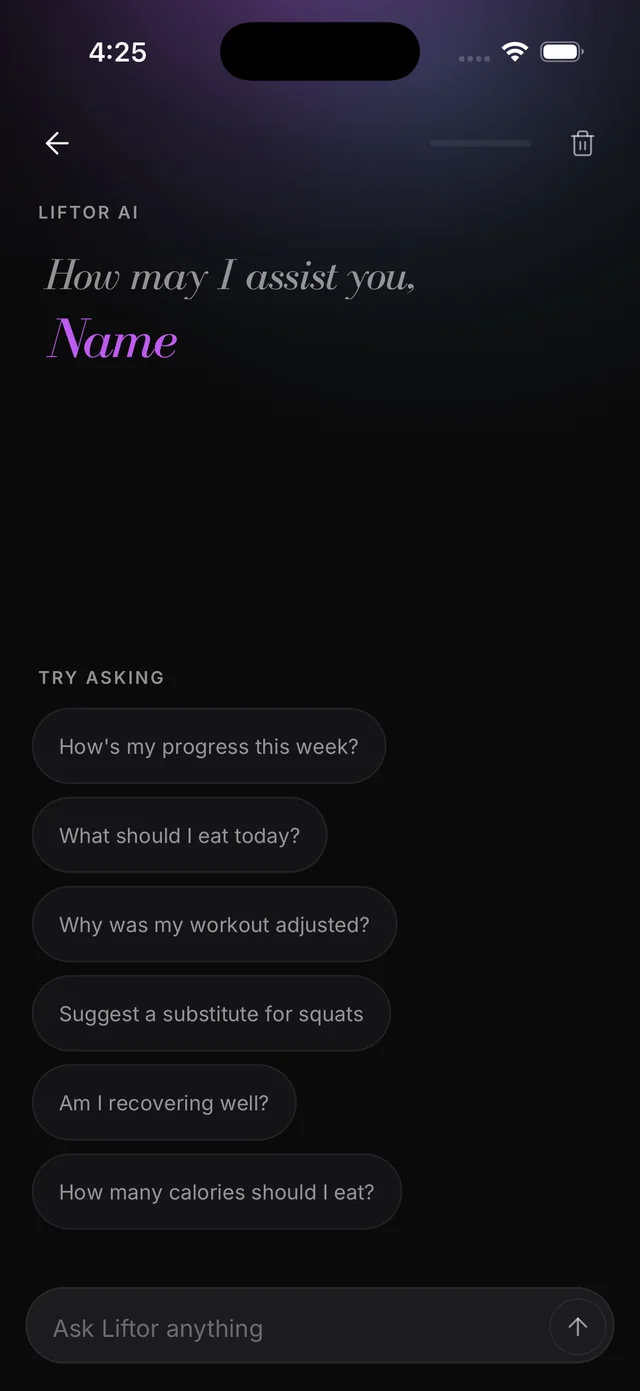
  4. Ask your coach anything: the screen in the Liftor app
    17

    Ask your coach anything

    Ask why today changed or what to eat tonight. It answers from your check-ins, your meals and every set you’ve logged.

For the record

Five things it does not do.

  1. 01

    Count your steps.

    Your watch does that. It reads the total from Apple Health.

  2. 02

    Run a feed.

    Nobody needs to see your Tuesday.

  3. 03

    Hand out badges.

    The only confetti is for a personal record.

  4. 04

    Sell your data.

    The privacy page is long because it is specific. Read it.

  5. 05

    Pretend to be a doctor.

    It is a coach.

From the App Store

What people say about Liftor

Word for word, as people wrote them on the App Store, spelling and all.

  • An excellent fitness app. The programs are well structured, easy to follow, and genuinely effective. With consistent use, it helped me stay disciplined and achieve my fitness goal of getting slimmer. The guidance feels personalized, and the overall experience is smooth and motivating. Highly recommended for anyone serious about improving their fitness.

    Miku2006App Store · India ·
  • best app ever. You can tell it’s been thoughtfully designed around real users feedback, every single thing from the daily check in to the export data feature. It pays attention to even the smallest details, even providing a mini game while the plan is being generated etc. Definitely worth the money and deserves more recognition.

    naisha1824App Store · India ·
  • I’ve tried many fitness apps, but this one truly stands out. The workout plans are well designed, the instructions are clear, and the progress tracking feature really helps me stay on track. Whether you’re a beginner or advanced, this app has something for everyone. Great app

    AvanitomarApp Store · India ·
  • Perfect for anyone struggling with consistency. It helped me stay motivated and actually complete my workouts.

    Rahul chokanApp Store · India ·
  • I like how practical the app is. It fits into my daily life and helped me build a strong fitness foundation

    Sanjay LihiaApp Store · India ·
  • This App stands out as the best among thousands. It is really very useful and helpful. I congratulate and appreciate the developer for his fantastic job.

    Rakesh MalviyaApp Store · India ·
  • I have tried many fitness aaps, but this aap structure is game changer

    GhitorniApp Store · India ·
  • Simple and easy steps seems it’s work

    Anand821App Store · India ·
  • Very good aap

    sunillohiaApp Store · India ·

A selection of reviews from the App Store in India, read on 2 October 2026.

Read all reviews on the App Store